Questões de Concurso
Sobre interpretação de texto | reading comprehension em inglês
Foram encontradas 12.713 questões


Ano: 2010
Banca:
CESPE / CEBRASPE
Órgão:
SERPRO
Prova:
CESPE - 2010 - SERPRO - Técnico - Operação de Redes |
Q311291
Inglês
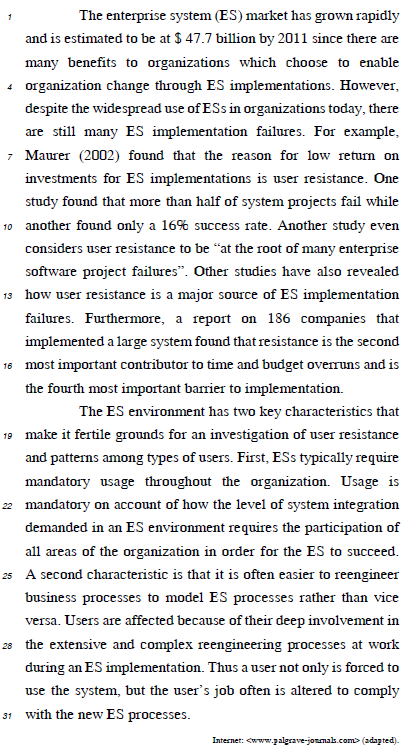
the enterprise system strictly demands compulsory usage all through the organization.
Ano: 2010
Banca:
CESPE / CEBRASPE
Órgão:
SERPRO
Prova:
CESPE - 2010 - SERPRO - Técnico - Operação de Redes |
Q311290
Inglês
budget overruns have been considered the most important barrier to ES implementation.
Ano: 2010
Banca:
CESPE / CEBRASPE
Órgão:
SERPRO
Prova:
CESPE - 2010 - SERPRO - Técnico - Operação de Redes |
Q311289
Inglês
due to the several advantages the enterprise system offers to organizations, its market is likely to be worth nearly U$ 50 billions by 2011.
Ano: 2010
Banca:
CESPE / CEBRASPE
Órgão:
SERPRO
Prova:
CESPE - 2010 - SERPRO - Técnico - Operação de Redes |
Q311288
Inglês
user resistance can be said to be the reason for low return on investments for ES implementations.
Ano: 2010
Banca:
CESPE / CEBRASPE
Órgão:
SERPRO
Prova:
CESPE - 2010 - SERPRO - Técnico - Operação de Redes |
Q311287
Inglês
ESs have been widely used in organizations today.
Ano: 2010
Banca:
CESPE / CEBRASPE
Órgão:
SERPRO
Prova:
CESPE - 2010 - SERPRO - Analista - Tecnologia da Informação |
Q310229
Inglês
Texto associado
This text refers to items from 41 to 50

According to the text it is correct to assert that
According to the text it is correct to assert that
oftware firms have adopted CMMs successfully.
Ano: 2010
Banca:
CESPE / CEBRASPE
Órgão:
SERPRO
Provas:
CESPE - 2010 - SERPRO - Analista - Programação Visual
|
CESPE - 2010 - SERPRO - Analista - Desenho Instrucional |
CESPE - 2010 - SERPRO - Analista - Tecnologia da Informação |
CESPE - 2010 - SERPRO - Analista Desenvolvimento de Sistemas |
CESPE - 2010 - SERPRO - Analista - Negócios em Tecnologia da Informação |
CESPE / CEBRASPE - 2010 - SERPRO - Analista - Redes |
CESPE - 2010 - SERPRO - Analista - Suporte Técnico |
CESPE - 2010 - SERPRO - Analista - Desenvolvimento de Sistemas |
Q306817
Inglês
Texto associado

According to the text it is correct to assert that
According to the text it is correct to assert that
the CMMs are quite unlike other software process improvement approaches in terms o f their basic values.
Ano: 2010
Banca:
CESPE / CEBRASPE
Órgão:
SERPRO
Provas:
CESPE - 2010 - SERPRO - Analista - Programação Visual
|
CESPE - 2010 - SERPRO - Analista - Desenho Instrucional |
CESPE - 2010 - SERPRO - Analista - Tecnologia da Informação |
CESPE - 2010 - SERPRO - Analista Desenvolvimento de Sistemas |
CESPE - 2010 - SERPRO - Analista - Negócios em Tecnologia da Informação |
CESPE / CEBRASPE - 2010 - SERPRO - Analista - Redes |
CESPE - 2010 - SERPRO - Analista - Suporte Técnico |
CESPE - 2010 - SERPRO - Analista - Desenvolvimento de Sistemas |
Q306816
Inglês
Texto associado
According to the text it is correct to assert that
According to the text it is correct to assert that
SPI technology is particularly suitable for small software firms.
Ano: 2010
Banca:
CESPE / CEBRASPE
Órgão:
SERPRO
Provas:
CESPE - 2010 - SERPRO - Analista - Programação Visual
|
CESPE - 2010 - SERPRO - Analista - Desenho Instrucional |
CESPE - 2010 - SERPRO - Analista Desenvolvimento de Sistemas |
CESPE - 2010 - SERPRO - Analista - Negócios em Tecnologia da Informação |
CESPE - 2010 - SERPRO - Analista - Desenvolvimento de Sistemas |
Q306815
Inglês
Texto associado
According to the text it is correct to assert that
According to the text it is correct to assert that
software firms have adopted CMMs successfully.
Ano: 2010
Banca:
CESPE / CEBRASPE
Órgão:
SERPRO
Provas:
CESPE - 2010 - SERPRO - Analista - Programação Visual
|
CESPE - 2010 - SERPRO - Analista - Desenho Instrucional |
CESPE - 2010 - SERPRO - Analista - Tecnologia da Informação |
CESPE - 2010 - SERPRO - Analista Desenvolvimento de Sistemas |
CESPE - 2010 - SERPRO - Analista - Negócios em Tecnologia da Informação |
CESPE / CEBRASPE - 2010 - SERPRO - Analista - Redes |
CESPE - 2010 - SERPRO - Analista - Suporte Técnico |
CESPE - 2010 - SERPRO - Analista - Desenvolvimento de Sistemas |
Q306814
Inglês
Texto associado
According to the text it is correct to assert that
According to the text it is correct to assert that
the Capability Maturity Model is likely to become the most recent integrated discipline of engineering management.
Ano: 2010
Banca:
COVEST-COPSET
Órgão:
UFPE
Prova:
COVEST-COPSET - 2010 - UFPE - Secretário Executivo |
Q306671
Inglês
My name’s Lauren. I don’t work full-time. I’ve got a part-time job in a fast food restaurant. I work on one or two evenings a week and on Saturdays. I work about fifteen hours a week. The pay isn’t very good, I get about $3.80 an hour but it’s hard work. I work because I need the money. I like going out and I buy CDs and clothes. They’re expensive and I get $10.00 a week pocket money. But I’m leaving my job in may because I’ve got exams and I need to work for them. I can get a different job in the summer.
After read about Lauren, answer the questions.
1) Where does Lauren work?
2) How many hours a week does she work?
3) What does Lauren buy with her money?
4) Why is Lauren leaving her job?
5) When is Lauren going to get a new job?
In the right sequence, the answers are:
After read about Lauren, answer the questions.
1) Where does Lauren work?
2) How many hours a week does she work?
3) What does Lauren buy with her money?
4) Why is Lauren leaving her job?
5) When is Lauren going to get a new job?
In the right sequence, the answers are:
Ano: 2010
Banca:
ACAPLAM
Órgão:
Prefeitura de Aroeiras - PB
Prova:
ACAPLAM - 2010 - Prefeitura de Aroeiras - PB - Professor - Inglês |
Q263692
Inglês

We can infer that smong…
Ano: 2010
Banca:
ACAPLAM
Órgão:
Prefeitura de Aroeiras - PB
Prova:
ACAPLAM - 2010 - Prefeitura de Aroeiras - PB - Professor - Inglês |
Q263691
Inglês
Which information is found in the text?
Ano: 2010
Banca:
ACAPLAM
Órgão:
Prefeitura de Aroeiras - PB
Prova:
ACAPLAM - 2010 - Prefeitura de Aroeiras - PB - Professor - Inglês |
Q263690
Inglês
According to the article…
Ano: 2010
Banca:
ACAPLAM
Órgão:
Prefeitura de Aroeiras - PB
Prova:
ACAPLAM - 2010 - Prefeitura de Aroeiras - PB - Professor - Inglês |
Q263689
Inglês
Carbon monoxide is produced by…
Ano: 2010
Banca:
ACAPLAM
Órgão:
Prefeitura de Aroeiras - PB
Prova:
ACAPLAM - 2010 - Prefeitura de Aroeiras - PB - Professor - Inglês |
Q263688
Inglês
What is the tone used by the author of the text?
Ano: 2010
Banca:
ACAPLAM
Órgão:
Prefeitura de Aroeiras - PB
Prova:
ACAPLAM - 2010 - Prefeitura de Aroeiras - PB - Professor - Inglês |
Q263682
Inglês

The purpose of the author of the text was…
Ano: 2010
Banca:
ACAPLAM
Órgão:
Prefeitura de Aroeiras - PB
Prova:
ACAPLAM - 2010 - Prefeitura de Aroeiras - PB - Professor - Inglês |
Q263681
Inglês
Californian residents probably do not want to move anywhere else because…
Ano: 2010
Banca:
ACAPLAM
Órgão:
Prefeitura de Aroeiras - PB
Prova:
ACAPLAM - 2010 - Prefeitura de Aroeiras - PB - Professor - Inglês |
Q263680
Inglês
The government officials lied about the number of deaths because…
Ano: 2010
Banca:
ACAPLAM
Órgão:
Prefeitura de Aroeiras - PB
Prova:
ACAPLAM - 2010 - Prefeitura de Aroeiras - PB - Professor - Inglês |
Q263679
Inglês
According to the text, it is true to say that…

 Conheça nossos planos